Working Remotely from Florence: A Digital Nomad's Complete Guide
Working from Florence sounds like a fantasy, and for many remote workers it becomes a reality — at least for a few weeks or months. The city offers a rare combination: world-class culture and food in a compact, walkable setting, with the infrastructure that modern remote work requires.
But it's not without friction. WiFi quality varies wildly, not every café welcomes laptop workers, and the bureaucratic side of working in Italy can be opaque. This guide covers the practical details so you can focus on the work-life balance that brought you here.
Internet and WiFi: The Non-Negotiable
Remote work runs on internet. In Florence, connectivity ranges from excellent to terrible depending on where you are.
Apartment WiFi
This is the most important factor in choosing accommodation for remote work. Florence's building stock is old — many apartments are in centuries-old buildings with thick stone walls and aging electrical systems. WiFi performance varies dramatically.
What to look for:
- Minimum 50 Mbps download speed (sufficient for video calls, file uploads, and general work)
- Fiber connection (FTTH or FTTC) — ask the host directly
- Router placement — in older buildings, WiFi signals struggle through walls. If the router is in the living room and you plan to work in the bedroom, test it early.
- Backup plan — Even good connections drop occasionally. Have a mobile hotspot ready (Italian SIMs are cheap — see below)
Red flags:
- Host says "WiFi available" but doesn't mention speed
- Reviews that mention "WiFi was slow" or "couldn't do video calls"
- No router visible in listing photos
- Buildings without visible fiber infrastructure
The Guido Monaco apartment, for example, has high-speed fiber WiFi that's consistently been mentioned in reviews as work-friendly. If you're booking an apartment specifically for remote work, check recent reviews for WiFi mentions and ask the host for a speed test screenshot before booking.
Italian Mobile Data
Italian mobile plans offer outstanding value for EU visitors:
- Iliad: €9.99/month for 150GB of 4G/5G data. Buy a SIM at any Iliad store (there's one near the station). You'll need your passport and an Italian or EU payment method.
- Vodafone tourist SIM: €30 for 30 days with 50GB data. Available at the airport and station.
- TIM: Similar tourist packages, €20-35 for 30 days with 30-100GB.
A mobile hotspot using an Italian SIM is your insurance policy for important video calls. Italian 4G/5G in central Florence is fast — often 50-100 Mbps.
Best Coworking Spaces in Florence
If you need a dedicated workspace, Florence has a small but growing coworking scene.
Impact Hub Florence (Via Panciatichi)
The most established coworking space in Florence. Modern facilities, fast WiFi, meeting rooms, and a community of freelancers and startup workers.
- Day pass: €25
- Weekly: €100
- Monthly: €200-250
- Location: 15 min by tram from the station (T1 line)
Murate Idea Park (Via delle Casine)
Located in a converted monastery near Santa Croce. Atmospheric workspace with high ceilings, good WiFi, and an interesting mix of creative professionals.
- Day pass: €20
- Monthly: from €150
- Location: 20 min walk from the station
Nana Bianca (Via de' Bardi)
Small, friendly coworking space in the Oltrarno. Good for people who prefer a quieter, more intimate environment.
- Day pass: €15
- Monthly: from €120
- Location: 20 min walk from the station, across the river
The Apartment Office
Many remote workers in Florence skip coworking entirely. A well-equipped apartment with fast WiFi, a proper table, and a quiet neighborhood is a perfectly functional office. The key advantages:
- No commute
- Unlimited coffee from your own kitchen
- Flexible hours (take a museum break at 2pm, work until 8pm)
- Private space for calls and focus work
- Cost already included in your accommodation
If you choose this route, look for apartments with a proper desk or large dining table, good natural light, and — crucially — air conditioning if visiting in summer. Working in 35°C heat without AC is not productive.
Best Cafés for Laptop Work
Not all Florence cafés welcome remote workers. Many have small tables, no power outlets, and staff who expect you to drink your espresso and leave. Here are the ones that actually work:
Ditta Artigianale (Via dei Neri + other locations)
Florence's best specialty coffee chain. Their larger locations have power outlets, decent WiFi, and a culture of laptop workers — you won't feel out of place. Espresso is excellent, food options good. Expect to spend €8-15 for a few hours.
La Ménagère (Via de' Ginori)
Beautiful café-restaurant-concept store with large tables, good WiFi, and a relaxed attitude toward laptops. Morning is best for working; it gets busier and louder after noon. Cappuccino + pastry: €6-8.
Todo Modo (Via dei Fossi)
Bookshop-café hybrid near Santa Maria Novella. Quiet, atmospheric, excellent for focused work. Small but workable WiFi. Good for 2-3 hour sessions.
The Library Strategy
Florence's public libraries offer free WiFi and quiet workspaces:
- Biblioteca delle Oblate (near the Duomo) — Best option. Free WiFi, beautiful terrace with Duomo views, quiet work areas. Open Monday-Saturday.
- Biblioteca Comunale (various branches) — Free, quiet, WiFi available.
Time Zone Considerations
Florence is in the CET (Central European Time) zone: UTC+1 in winter, UTC+2 in summer.
Working with US Teams
- US East Coast: Florence is 6 hours ahead. A 9am NYC meeting is 3pm in Florence — perfect. Your morning is free for sightseeing.
- US West Coast: Florence is 9 hours ahead. A 9am LA meeting is 6pm Florence — doable but it means evening calls.
- Optimal schedule for US overlap: Work 2pm-8pm Florence time (8am-2pm Eastern). Mornings free for museums and markets.
Working with UK Teams
- Florence is 1 hour ahead of London. Minimal friction — standard 9-5 works fine.
Working with APAC Teams
- Australia (Sydney): 8-10 hours ahead of Florence. Morning meetings in Sydney = late evening in Florence. This is the toughest overlap.
Pro tip: Many remote workers in Florence adopt a split schedule: focused work in the morning (8-12), long Italian lunch and sightseeing (12-4), calls and collaboration (4-8pm). The afternoon siesta tradition works perfectly for this.
Cost of Living for Remote Workers
Florence is moderately expensive by Italian standards but reasonable compared to London, Paris, or most US cities.
Monthly Budget (Comfortable but not luxurious)
| Category | Monthly Cost |
|---|---|
| Accommodation (apartment) | €1,800-2,800 |
| Groceries | €250-350 |
| Eating out (dinner 3-4x/week) | €300-450 |
| Coworking (if needed) | €0-250 |
| Mobile data | €10-30 |
| Transport (mainly walking) | €30-50 |
| Coffee/cafés | €60-100 |
| Entertainment/culture | €50-150 |
| Total | €2,500-4,180 |
For shorter stays (2-4 weeks), nightly apartment rates make accommodation more expensive per month, but you avoid utility costs, internet setup fees, and rental deposits.
Comparison to Other Digital Nomad Cities
- Lisbon: 20-30% cheaper overall
- Barcelona: Similar costs
- London: 40-60% more expensive
- Berlin: 15-25% cheaper
- Bali: 50-70% cheaper (but different lifestyle entirely)
Florence's value proposition isn't about being cheap — it's about what you get for the money: Renaissance art, Tuscan food, walkable city, and a base for exploring all of Italy.
Visa and Legal Considerations
EU/EEA Citizens
No visa needed. You can live and work in Italy freely. For stays over 90 days, you should register with the local authorities (anagrafe), but in practice many don't for shorter periods.
US/UK/Canadian Citizens (Short Stays)
You can stay in Italy visa-free for up to 90 days within any 180-day period (Schengen zone rules). Technically, you're not supposed to "work" on a tourist visa, but remote work for a non-Italian employer in a gray area. Italy hasn't cracked down on digital nomads doing this.
Italy's Digital Nomad Visa (2024+)
Italy introduced a digital nomad visa in 2024. Requirements:
- Minimum annual income of €28,000
- Proof of remote employment or freelance contracts with non-Italian clients
- Health insurance coverage
- Valid for 1 year, renewable
This is the proper legal route for stays over 90 days. Apply through the Italian consulate in your home country.
Tax Implications
If you stay less than 183 days per year in Italy, you're generally not considered an Italian tax resident. But tax rules are complex and country-specific — consult a tax professional if you're planning an extended stay.
Best Neighborhoods for Remote Workers
Near Santa Maria Novella Station (Top Pick)
Why it works for remote workers:
- Train station access for weekend trips to Rome, Venice, Cinque Terre
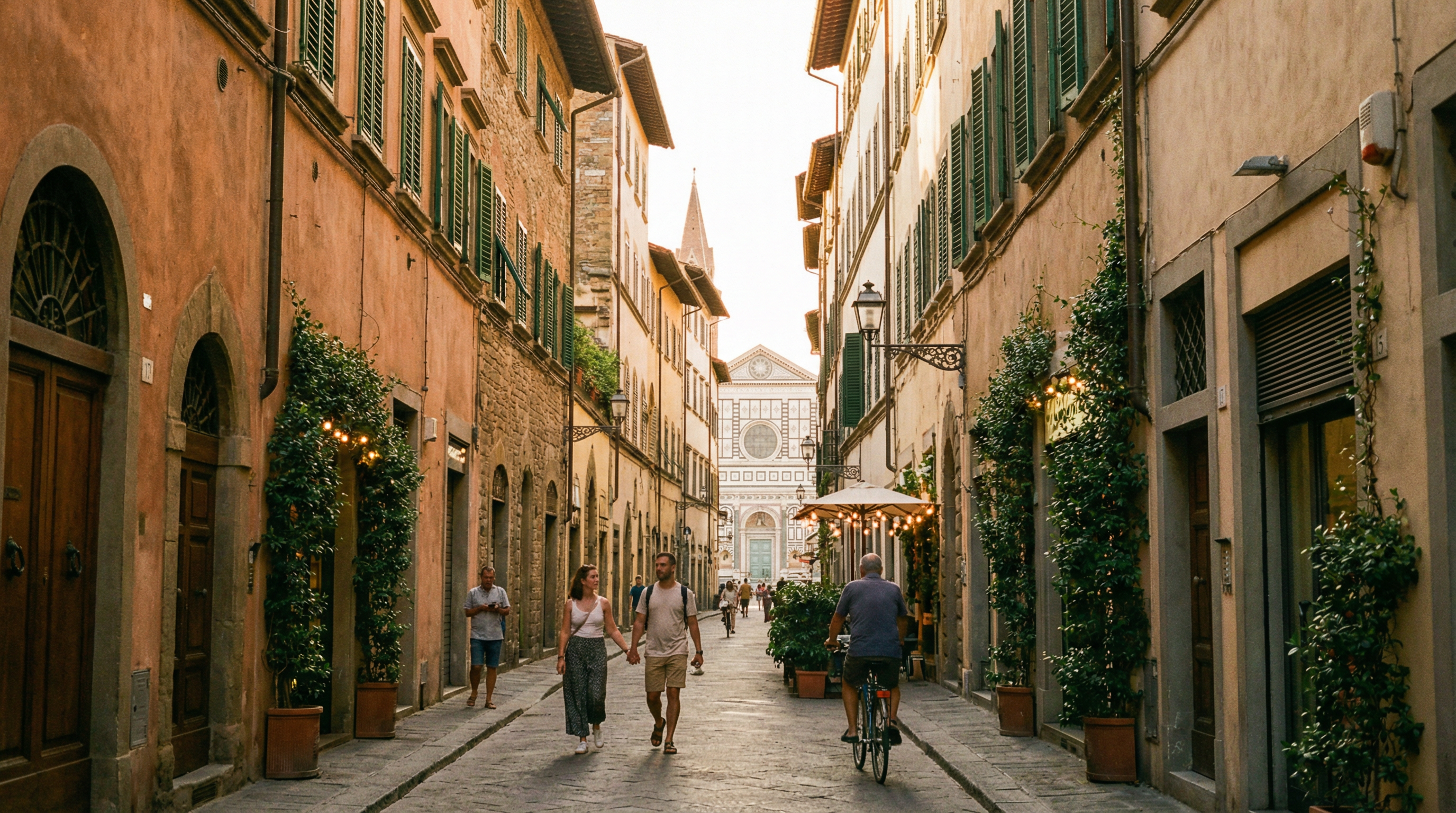
- Quiet residential streets (like Via Guido Monaco) away from tourist noise
- Good local supermarkets for stocking the kitchen
- Walking distance to everything — no commute needed
- Newer buildings with better WiFi infrastructure and elevators
Sant'Ambrogio
East of the center, near the daily food market (Mercato di Sant'Ambrogio). Very local, good value, excellent for longer stays. Slightly farther from the station.
Oltrarno
South of the Arno, the artisan quarter. Atmospheric, quieter, great café culture. Good for creative types. Slightly farther from the station but very walkable.
Weekend Trips from Your Florence Base
One of the biggest advantages of basing yourself in Florence for remote work is the weekend trip potential. With the train station 5 minutes from your apartment:
- Rome: 1.5 hours by high-speed train (€20-40 each way, book early)
- Venice: 2 hours by high-speed train
- Cinque Terre: 2.5 hours (leave Friday evening, return Sunday)
- Bologna: 40 minutes — easy Saturday lunch trip
- Siena/San Gimignano: 1-1.5 hours by bus
- Pisa: 1 hour — half-day trip
An apartment near the station makes these trips effortless. No luggage storage to arrange, no checkout/check-in logistics. Just lock the door and go.
Practical Setup Checklist
Before you arrive:
- Book accommodation with verified fast WiFi (ask for speed test)
- Check if your employer has any restrictions on working from Italy
- Get travel insurance that covers your laptop/equipment
- Download offline maps (Google Maps, Maps.me)
- Notify your bank about Italy usage (avoid card blocks)
First day:
- Buy an Italian SIM card (Iliad, Vodafone, or TIM)
- Test apartment WiFi speed (speedtest.net)
- Locate nearest supermarket (stock the kitchen)
- Set up your workspace (find the best table, lighting, and power outlet position)
- Do a test video call
First week:
- Find your favorite café for a change of scenery
- Establish your daily routine (work hours, sightseeing hours, meal times)
- Explore the neighborhood on foot
- Book any museum visits (some require advance booking)
Where to Stay for Remote Work
The ideal remote work apartment in Florence needs: fast WiFi, a proper workspace, air conditioning (if summer), a quiet location, and proximity to the station for weekend trips.
The Guido Monaco apartment checks these boxes specifically: high-speed fiber WiFi, a living area with table workspace, AC throughout, a quiet residential street, and a 5-minute walk to Santa Maria Novella station. The private terrace is a bonus for afternoon coffee breaks that actually feel like a break.
Check availability on Booking.com
Related Reading:
Book Your Florence Stay
Experience the comfort of Guido Monaco apartment — perfect location, modern amenities, and a private terrace.